 PeaceBreak
Delete Your Account
If you no longer wish to use PeaceBreak, you can permanently delete your account at any time. This removes your access and deletes your personal app data. This action cannot be undone.
How to Delete Your Account (In-App)
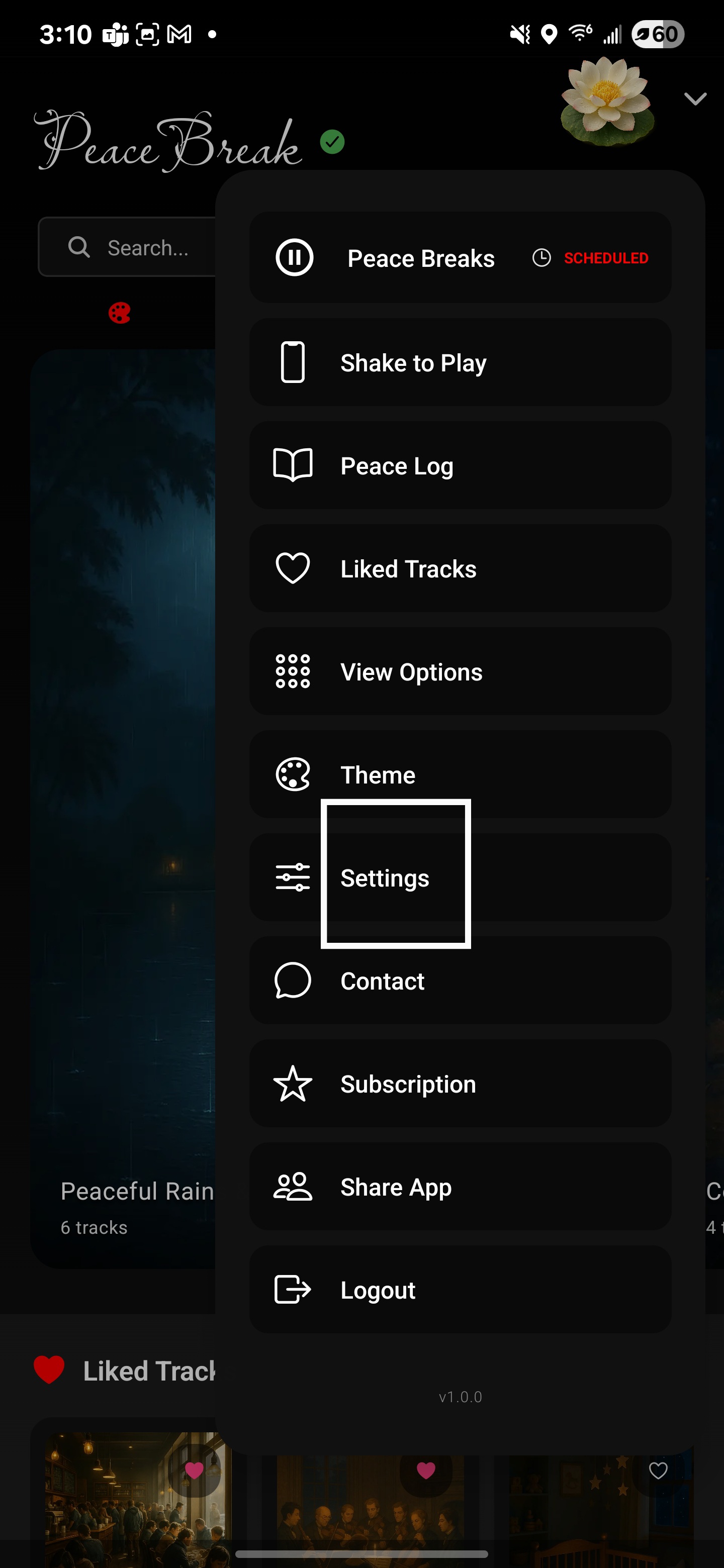
Open the PeaceBreak app and go to Settings.
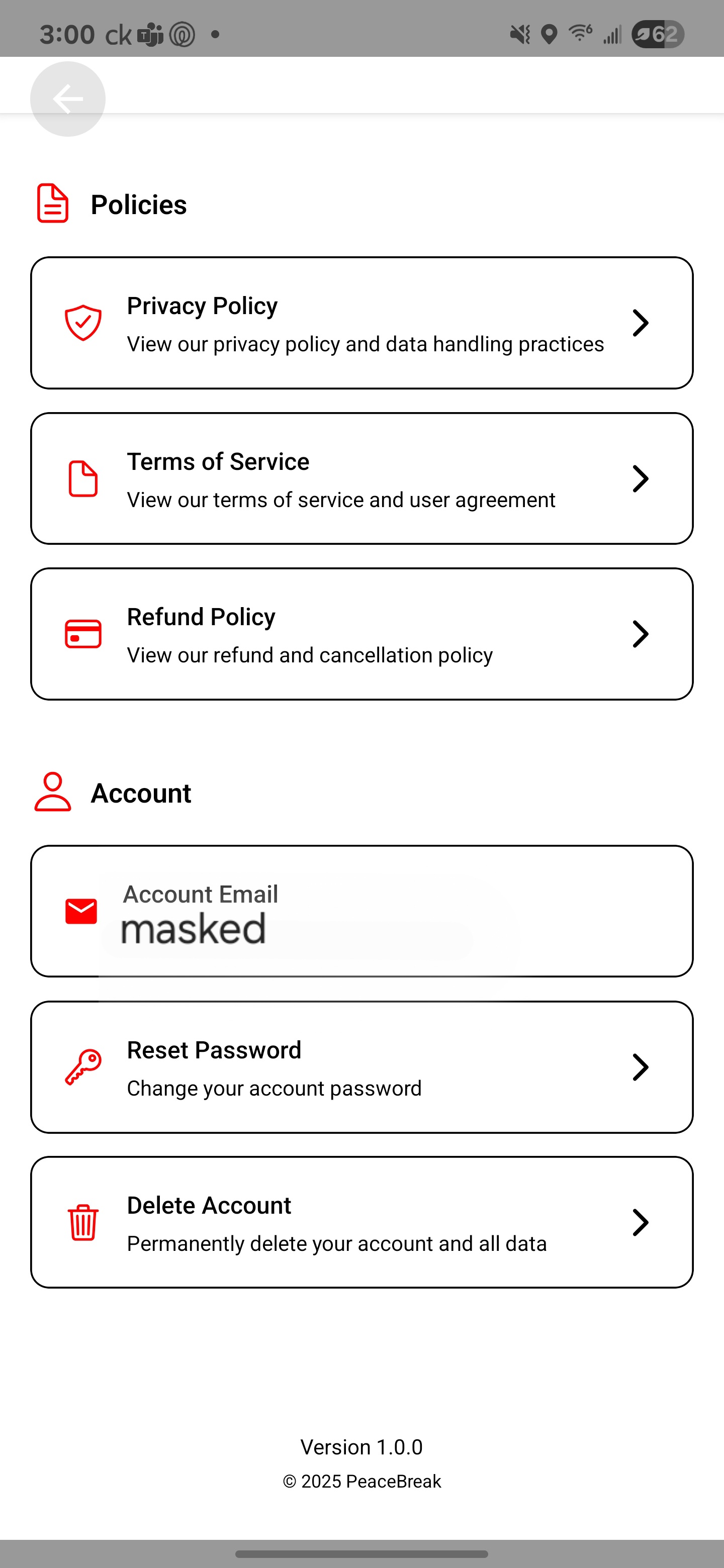
Scroll to Account and choose Delete Account.
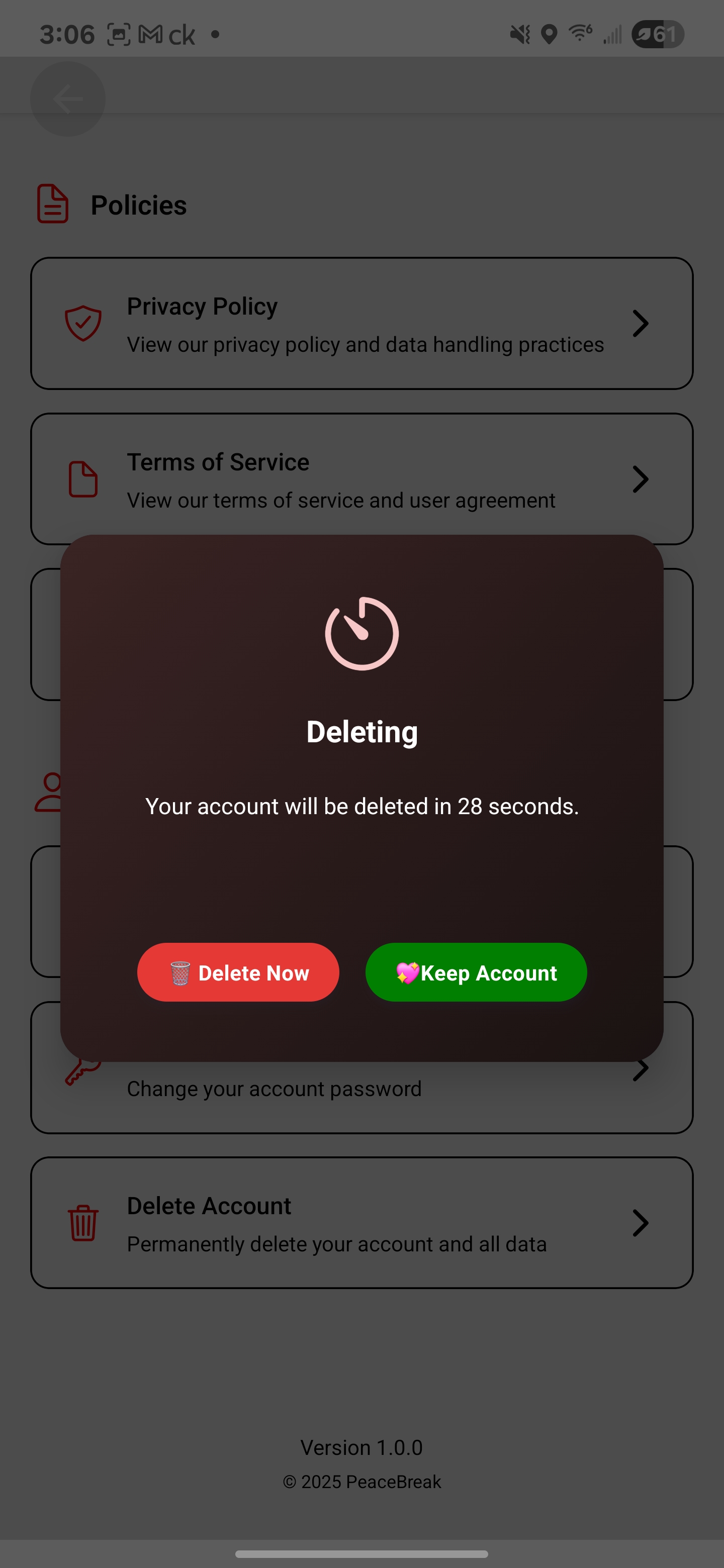
Type delete account to confirm, then tap Delete.
If you have trouble deleting from within the app, email us and we can assist.
Security note
For your protection, account deletion is only available inside the app while you are signed in. We don’t process deletion requests received solely by email, because an email account can be compromised and does not sufficiently prove identity.
If you’re unable to access the app due to a technical issue, please contact us and we’ll help you complete deletion after we verify your identity to keep your account secure.
Contact: support@thamizhistudios.com or privacy@thamizhistudios.com
Step-by-Step Screenshots


What Will Be Deleted
- Account and profile data in our database (Supabase Auth user)
- App preferences and settings (e.g.,
user_settings) - Play history and activity (e.g.,
peace_break_history) - Likes and saved content (e.g.,
user_likes,user_playlists) - Subscription record in our database (e.g.,
user_subscriptions) - Notifications and push tokens (where applicable)
- Billing/subscription history rows linked to your user in our database
We also attempt to cancel your active subscription through Google Play Billing as part of the process. Your subscription will be cancelled and your account deletion will be completed on our side.
What Is Kept (Minimum Necessary)
- Policy acceptance records are preserved for legal compliance: your email, IP, acceptance timestamps and document details remain while your
user_idis removed. These records show you accepted our Terms/Privacy and include adeleted_attimestamp. - Trial and fraud-prevention data (limited): email and device identifier may be retained solely to enforce our one-trial-per-email and one-trial-per-device policy, and active subscriber device limits.
- Audit-only logs about the deletion event (non-marketing, operational only).
- Payment processor records (Google Play) may be retained by Google under their own legal/financial retention requirements. We do not control those systems.
Why some records are kept
To meet legal obligations and prevent abuse, we keep minimal, specific records that do not allow app access after deletion. For example, policy acceptance records are required for audit purposes and are anonymized by removing your user_id while preserving your email and acceptance details.
After Deletion
- Your app access is immediately revoked and your login tokens are invalidated.
- Your subscription (if any) is cancelled through Google Play Billing.
- This action is permanent and cannot be undone.
- If you sign in with Google again, a new account will be created automatically. Previously deleted data is not restored.
Need Help?
We can help delete your account or answer questions:
- Email (Support): support@thamizhistudios.com
- Email (Privacy): privacy@thamizhistudios.com
For more details, see our Privacy Policy and Terms of Service.